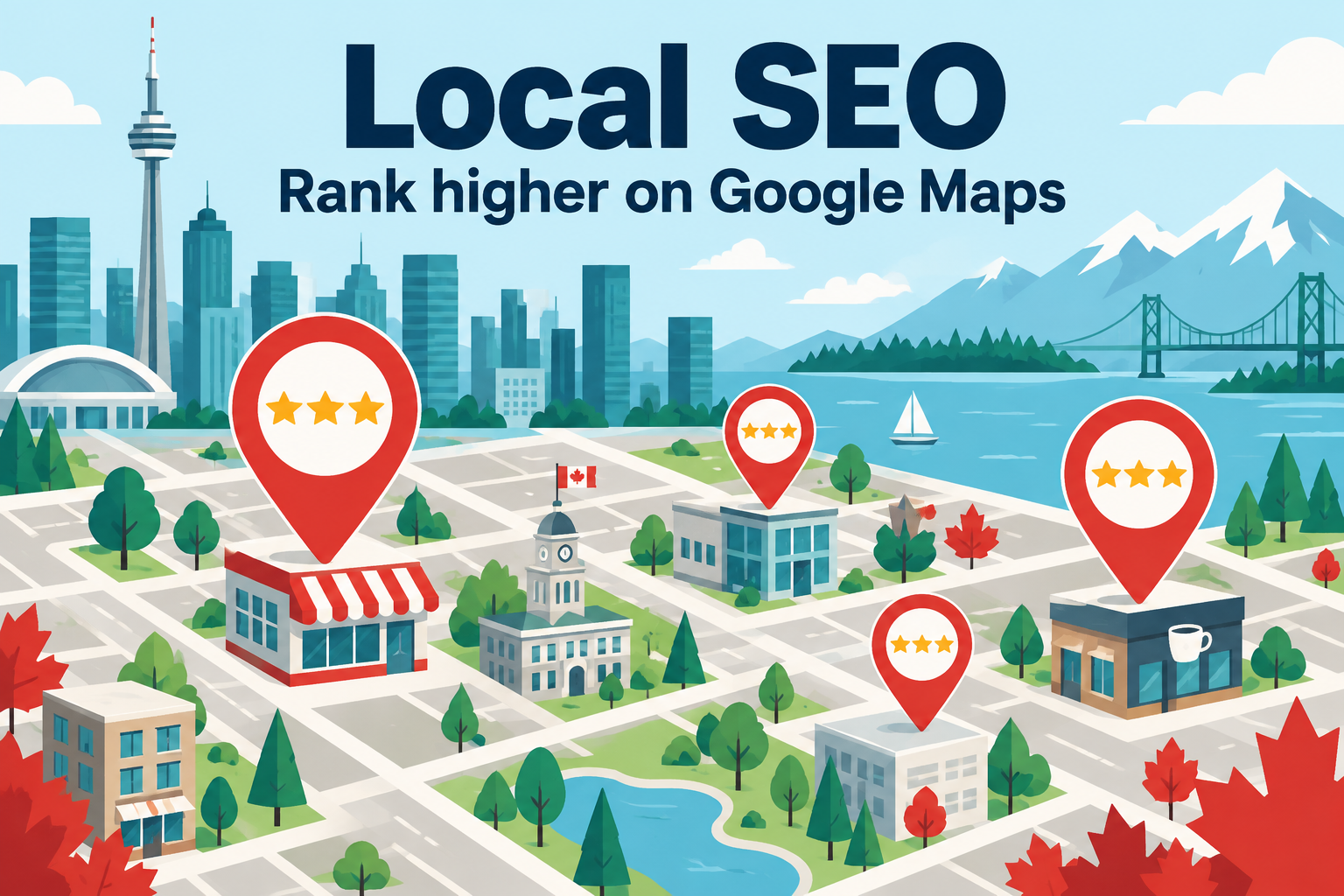
When someone nearby searches for “plumber near me” or “best physio in Calgary”, Google shows a map with three businesses before any regular results. That box is the local pack, and for most service businesses it brings in more calls than the rest of the page combined. In 2026 the same local data also feeds Google’s AI Overviews, AI Mode and ChatGPT when people ask them to recommend a business nearby.
Quick answer. Local SEO for a small business comes down to five things: a complete Google Business Profile in the right category, a steady flow of new Google reviews, the same name, address and phone number on every directory, a page on your website for each service and area you cover, and links or mentions from other local sites. Most businesses see map pack movement in 4 to 8 weeks. Use the checklist below to work through it.
This guide to local SEO for small businesses covers everything that matters this year: how local rankings work, how to set up your Google Business Profile properly, how to earn reviews without breaking Canadian rules, what your website needs, which Canadian directories still count, and a 30 day plan you can follow without a budget.
For hands on help with the steps below, our Edmonton SEO company page lists prices from C$689 a month, and the Edmonton web development page covers location pages built into a new site.
How local SEO rankings work in 2026
Google says local results depend on three factors: relevance, distance and prominence. The details are in Google’s own guide to improving local ranking, but in plain terms:
- Relevance is how well your profile and website match what the person searched for. Categories, services and page content control this.
- Distance is how close you are to the searcher or the place they named. You cannot change it, so do not try to game it with fake addresses.
- Prominence is how well known and trusted you are: review count and quality, mentions on other sites, links and your overall web presence.
Two things changed recently. First, Google’s AI features now sit above the map for many searches, and they pull from the same profile, reviews and website data, so a complete profile matters more than ever. Second, reviews carry more weight for which three businesses show, and a profile with recent reviews and replies beats a profile with more but older ones. If you want the wider picture on AI search, read our guide to Google AI Mode for small businesses.
Step 1: Set up your Google Business Profile the right way
Pick the most specific primary category
Your primary category has the biggest effect on which searches you appear for. “Emergency plumber” or “Family dental clinic” beats a vague parent category. Add secondary categories only for services you genuinely offer, since each one tells Google what you want to rank for.
Keep your name, address and phone consistent
Use your real business name with no extra keywords stuffed in. Your address and phone number should match exactly on your website, your profile and every directory. Small differences, such as “Suite 200” on one listing and “#200” on another, make it harder for Google to connect them.
Fill in every section
- Regular hours and holiday hours, including the long weekends Canadians search around
- Services with short descriptions and starting prices where you can
- Service areas if you travel to customers
- Products, menus or price lists for retail, restaurants and clinics
- Attributes such as women owned, wheelchair accessible or online appointments
- A business description that says who you serve and where, in plain language
- A booking link, messaging and your website link to the right landing page
Add real photos every few weeks
Photos of your team, storefront, vehicles and finished work make the profile feel alive and give Google fresh signals. Skip stock images. A few new photos every two weeks is a good habit, and a short video tour helps even more.
Use posts and Q and A
Profile posts about offers, new services and recent projects keep your listing active. The Q and A section is public, so add the questions customers ask most and answer them yourself before someone else does.
Step 2: Reviews, the engine of local SEO
Reviews influence both whether you rank and whether people call. The businesses that win in Maps are rarely the ones with the most reviews overall. They are the ones with a steady flow of recent reviews, detailed text and owner replies.
- Ask every happy customer, ideally within an hour of finishing the job. A short text with your direct review link works best.
- Make it specific. Ask them to mention the service and the city. “Great furnace repair in Red Deer” does more for you than “great service”.
- Reply to every review, positive or negative, within a day or two. Keep replies human and specific.
- Handle negatives calmly. Acknowledge the issue and offer to fix it offline. Future customers read your reply more closely than the complaint.
- Never buy reviews or offer rewards for five stars. It violates Google’s policies, and in Canada the Competition Bureau treats fake or incentivized reviews as deceptive marketing, which can bring large fines.
If asking for reviews keeps slipping through the cracks, automate it. Our local SEO service sets up review requests that go out automatically after every appointment or invoice.
Step 3: Make your website back up your profile
Google reads your website to confirm what your profile says. A thin homepage with a phone number does not help you rank. These pages do:
A page for every main service
One page that lists everything you do is hard to rank. A separate page for each core service, with real detail, photos, pricing guidance and a few lines about the areas you serve, ranks far better. A plumber should have separate pages for drain cleaning, water heaters and emergency repairs.
Location pages, written honestly
If you serve several cities, a page for each one can help, but only when each page is genuinely useful: local projects, landmarks, travel times, the team members who cover that area. Copying one page and swapping the city name is the fastest way to get all of them ignored.
Name, address, phone and schema
Put your name, address and phone in the footer of every page, matching your profile exactly, and add LocalBusiness structured data so Google can read it without guessing. Embed a Google Map on your contact page. If you have several locations, each location page gets its own schema with its own address and hours.
Fast and mobile first
Most local searches happen on a phone, often while standing somewhere with poor signal. A site that loads in under two seconds, with a tap to call button and a short form, turns rankings into customers. We cover the technical side in our guide to SEO and AI search.
Step 4: Canadian citations and directories that still matter
Citations are mentions of your business name, address and phone on other sites. They matter less than they did ten years ago, but consistency across the main ones still helps Google trust your listing, and several of them feed AI assistants and car navigation systems directly.
| Listing | Why it matters | Cost |
|---|---|---|
| Google Business Profile | The map pack, AI Overviews and AI Mode | Free |
| Bing Places for Business | Bing search, Microsoft Copilot and many voice assistants | Free |
| Apple Business Connect | Apple Maps, Siri and the Maps app on every iPhone | Free |
| Yelp Canada | Still used by Apple Maps and many AI answers for reviews | Free listing |
| YellowPages.ca and Canada411 | Long standing Canadian data sources that other directories copy | Free listing |
| Better Business Bureau | Trust signal for home services and professional firms | Free profile, paid accreditation |
| Your chamber of commerce and industry association | Local links and credibility | Membership fees |
| Industry directories such as RateMDs, Houzz, HomeStars or Avvo | Category specific reviews and links | Varies |
Claim each one, match your details exactly, add photos where allowed, and move on. You do not need hundreds of citations. You need the main ones to be correct.
Step 5: Local content that actually helps
Content for local SEO does not mean blogging about everything. It means answering the questions people in your area ask before they hire you:
- Pricing guides in Canadian dollars, such as “How much does a furnace replacement cost in Edmonton?”
- Seasonal guides tied to local conditions, such as winter tire rules by province or spring flooding checklists
- Case studies of local projects with photos and the neighbourhood named
- Answers to permit, licensing and insurance questions specific to your province
- French versions of key pages if you serve Quebec, New Brunswick or Ottawa
Each of these pages gives Google another reason to connect your business with your area, and gives AI assistants something concrete to cite.
Step 6: Links and local mentions
Prominence grows when other local sites mention you. The easiest wins are the ones most businesses ignore: sponsor a youth team or community event and get listed on their site, join your chamber of commerce, get featured by suppliers you work with, offer a quote to a local news story, and ask partner businesses to link to you. A handful of real local links beats hundreds of spammy ones.
Local SEO for service area businesses
Plumbers, electricians, cleaners, landscapers and mobile mechanics often work from home and do not want their address public. Google allows this. Hide your address in your profile, set your service areas to the cities and regions you actually cover, and keep the rest of the profile complete. On your website, publish a service area page that names those cities and explains how you cover them. Do not list a mailbox or a virtual office as your address, since Google removes those listings.
Local SEO for multi location businesses
A clinic group with four locations or a franchise with twenty needs a profile for every location, each verified, each with its own phone number, photos and reviews. On the website, build a locations hub that links to one page per location with unique content. Centralize review requests so every location gets a steady flow, and track performance by location so you can see which ones need attention.
Local SEO and AI search
When someone asks ChatGPT or Google AI Mode “who is a good accountant near me”, the answer is built from the same sources: Google Business Profile data, reviews, directories and the content on your website. AI tools favour businesses that are easy to verify: consistent details everywhere, a steady stream of reviews that mention specific services, service pages that explain exactly what you do and where, and clear pricing. Everything in this guide helps you show up in AI answers as well as in Maps.
Local SEO mistakes to avoid
- Keyword stuffing your business name, which can get the profile suspended
- Creating profiles for locations where you have no staff or office
- Using a different phone number on every directory because of call tracking without setting the primary number consistently
- Letting the profile go quiet for months with no posts, photos or review replies
- Ignoring Bing Places and Apple Business Connect, which feed Copilot, Siri and in car navigation
- Buying or trading reviews
- Publishing ten location pages with the same text and a different city name
A simple 30 day local SEO plan
| Week | What to do | Time |
|---|---|---|
| Week 1 | Claim and complete Google Business Profile, Bing Places and Apple Business Connect. Fix name, address and phone everywhere. Upload 10 real photos. | 3 to 4 hours |
| Week 2 | Write or improve one page per main service. Add your address, phone and LocalBusiness schema to the site. Add a tap to call button. | 4 to 6 hours |
| Week 3 | Set up a review request text or email. Ask your last 20 happy customers. Reply to every existing review. | 2 to 3 hours |
| Week 4 | Claim Yelp, YellowPages.ca, BBB and two industry directories. Publish one local pricing guide. Post your first profile update. | 3 to 4 hours |
Repeat weeks 3 and 4 every month. Consistency is what moves local rankings, not a one time push.
Free tools to track your progress
- Google Business Profile performance shows calls, direction requests, website clicks and the searches that triggered your profile.
- Google Search Console shows which local searches bring people to your website and where you rank.
- Google Maps in an incognito window, searched from different neighbourhoods, shows how your ranking changes with distance.
- Call tracking in your CRM tells you which calls came from Maps versus your website.
What to track every month
| Metric | Where to find it | Good sign |
|---|---|---|
| Calls and direction requests from your profile | Google Business Profile performance | Growing month over month |
| Map pack rankings for your top 5 searches | Incognito Maps searches or a rank tracker | Top 3 in your core area |
| New reviews per month and average rating | Your profile | At least 4 new reviews a month, 4.7 or higher |
| Local search clicks to the website | Search Console, filter queries by city | Rising clicks on service pages |
| Leads and booked jobs by source | CRM or booking system | Maps and local pages as top sources |
Local SEO checklist for small businesses
- Claim and verify your Google Business Profile, and pick the most specific primary category.
- Add every service, your service area, hours, holiday hours and at least 10 real photos.
- Write a 750 character business description that says what you do and where.
- Ask every happy customer for a Google review, and reply to every review within two days.
- Post a Google Business Profile update every week.
- Claim Bing Places and Apple Business Connect with the same details.
- Make your name, address and phone number identical on Yelp, YellowPages.ca, Canada411 and your industry directories.
- Create one page on your site per core service, and one per city or area you serve.
- Put your address, phone and a map on your contact page, with LocalBusiness schema.
- Make sure your site loads in under 3 seconds on a phone.
- Earn links from local partners, suppliers, associations and local news.
- Track calls, direction requests and rankings every month, and fix what is not moving.
Local SEO FAQ
How long does local SEO take to work?
Most small businesses see movement in Google Maps within 4 to 8 weeks of completing their profile, earning a steady flow of reviews and fixing their website basics. Competitive categories in large cities such as Toronto, Vancouver, Calgary and Montreal can take 3 to 6 months to reach the top three.
Is local SEO free?
The core work is free: your Google Business Profile, reviews, Bing Places, Apple Business Connect and most Canadian directories cost nothing. You pay with time, or you pay an agency to do it consistently. Paid tools and local ads are optional.
Do I need a website for local SEO?
You can appear in the map pack with only a Google Business Profile, but a website with a page for each service and each location makes a large difference to how often you show up and how many people call.
What is the difference between local SEO and regular SEO?
Regular SEO aims to rank web pages for searches from anywhere. Local SEO aims to rank your business profile and location pages for searches with local intent, such as near me searches or searches that name a city, where Google shows a map.
Can I do local SEO for several locations?
Yes. Each location needs its own verified Google Business Profile, its own page on your website with a unique address, hours and content, and its own review flow. Avoid copying the same text across location pages.
Does local SEO help me show up in ChatGPT and Google AI Mode?
Yes. AI answers for local questions draw heavily on Google Business Profile data, reviews and the content on your website. Businesses with complete profiles, recent reviews and clear service pages are the ones AI tools recommend.
Want it done for you?
Quantro Digital runs local SEO for small businesses across Canada from our base in Edmonton: profile optimization, review automation, service and location pages, citations and monthly reporting. See our SEO services or book a free strategy call and we will show you exactly where your local visibility is leaking.
Sources: Google, How to improve your local ranking on Google; Google, Prohibited and restricted content for reviews.